Go to website :- https://www.presearch.org
According to their website, "Presearch is an open, decentralized search engine that rewards community members with Presearch Tokens for their usage, contribution to, and promotion of the platform.
In a world where one company controls 77% of all searches, influencing trillions of dollars in spending, shaping perceptions and effectively acting as the primary gatekeeper to the Internet, a new, open and community-driven search engine is a necessity.
Presearch has an innovative go-to-market strategy to target the most frequent searchers - web workers - and gain early adoption, on our way to releasing future versions of the open source platform that will utilize a blockchain-based index, curated by the community."
How to gain Beta Access on Presearch
It is super simple to do that, don’t worry and follow my steps:

Step no. 1
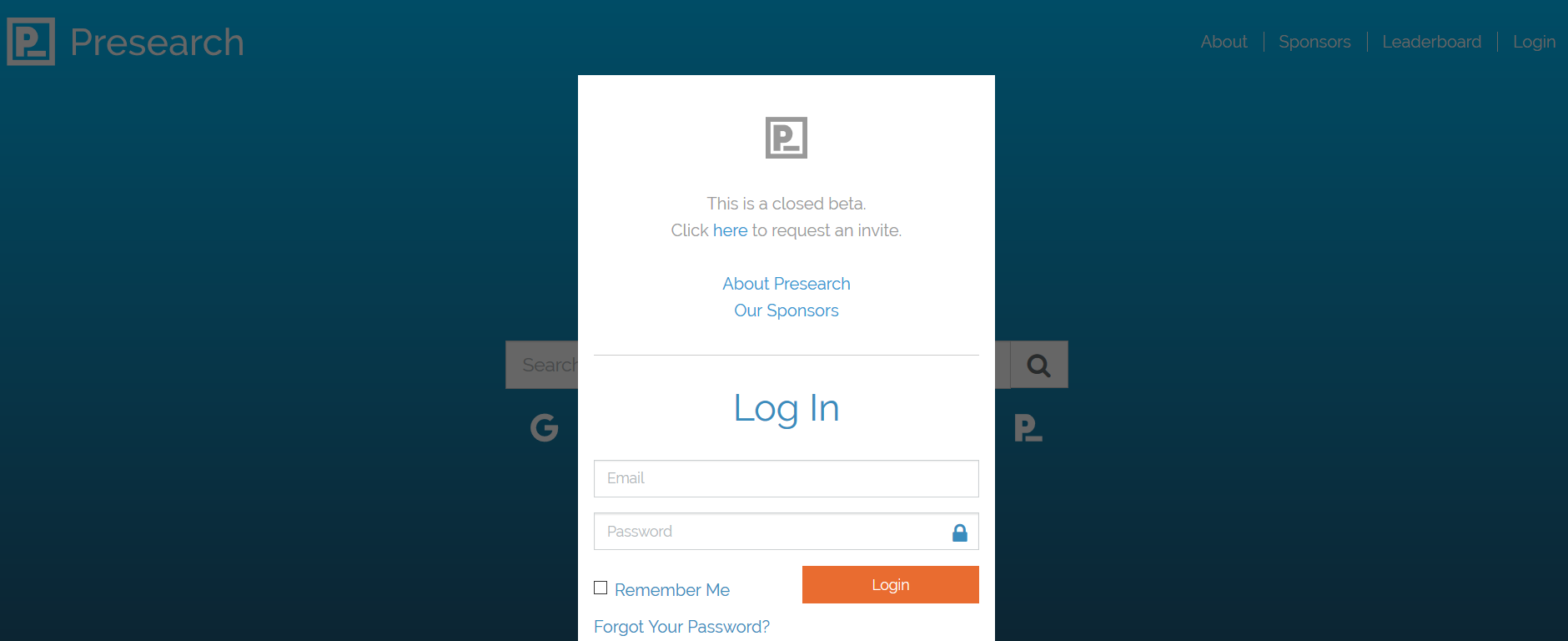
Sign up on Presearch.org

step 1.png

Step no. 2
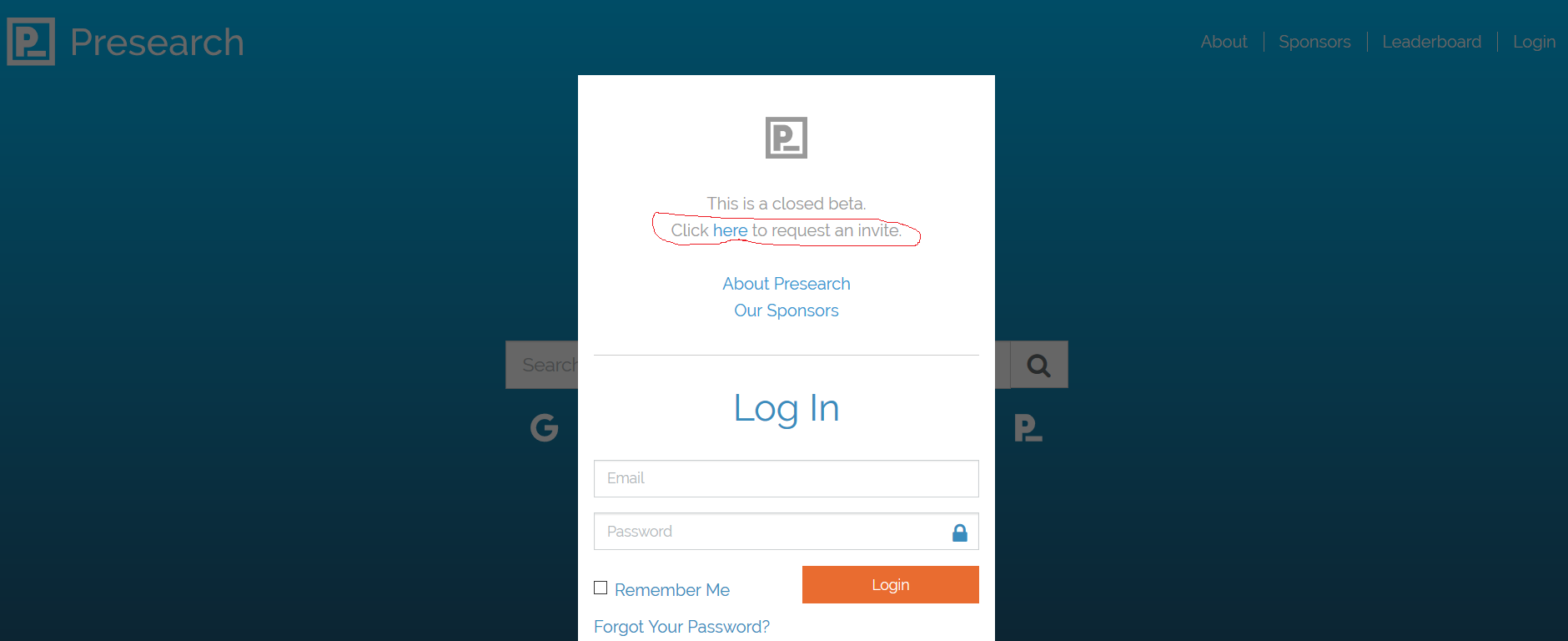
Click here to request an invite.

step 2.png

Step no. 3
Create you account.

step 3.png

Step no. 4
You will receive this e-mail shortly after creating your account.
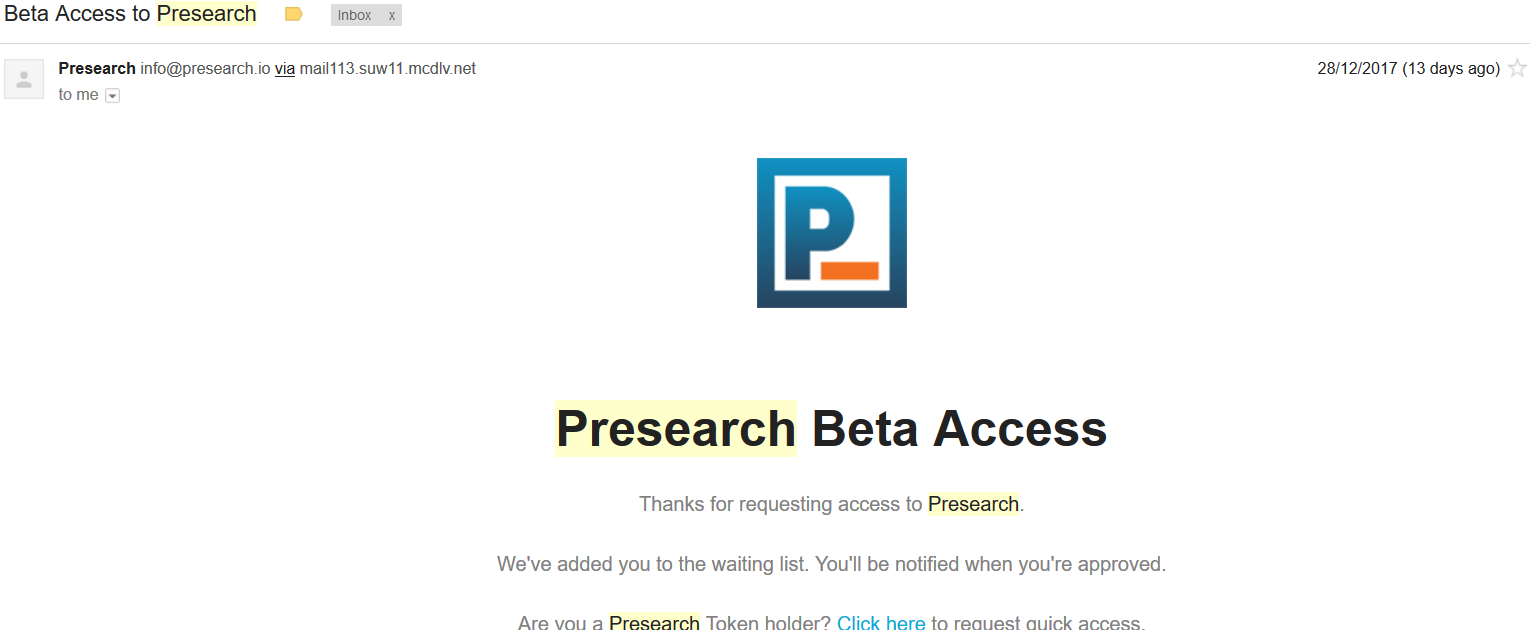
step 4.png

Step no. 5
After a few days you will receive this e-mail, this mean you are approved, so congrats now you are a beta tester!
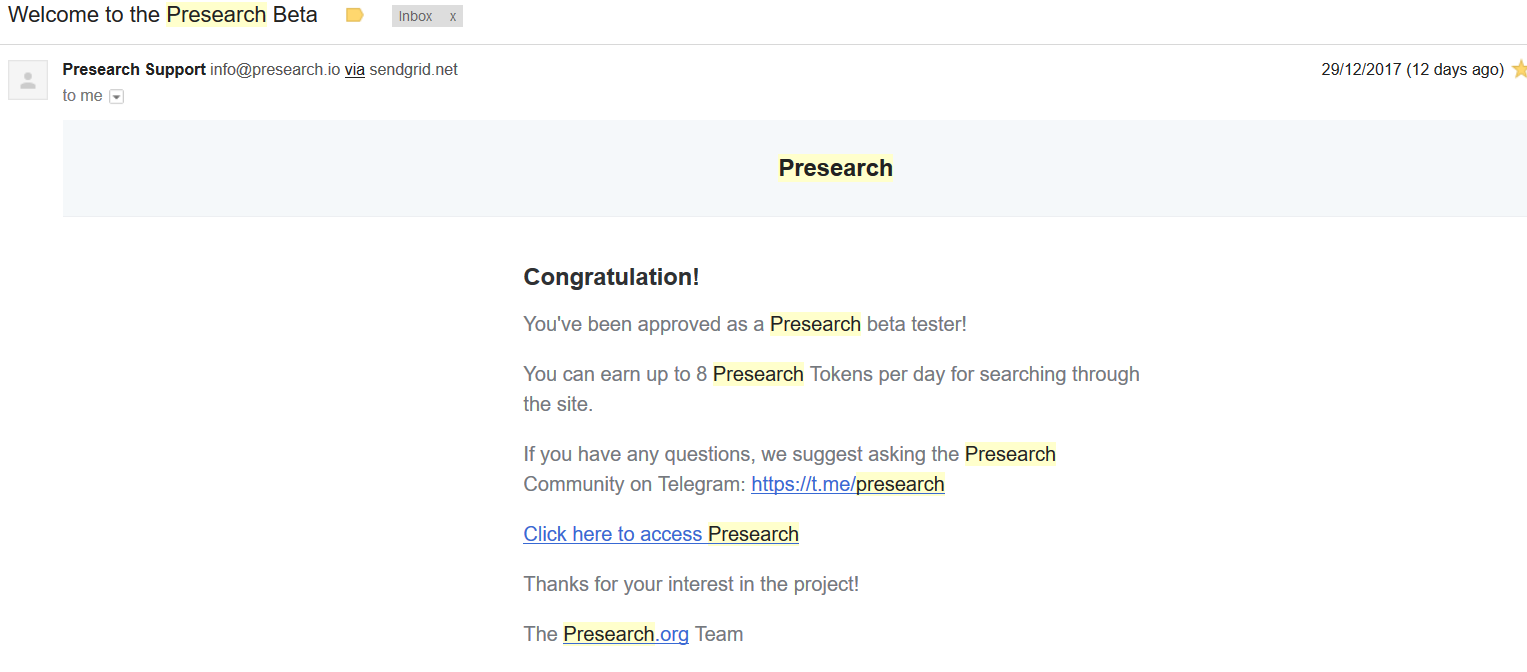
step 5.png

Step no. 6
It’s pretty awesome that you can set two-factor authentication.
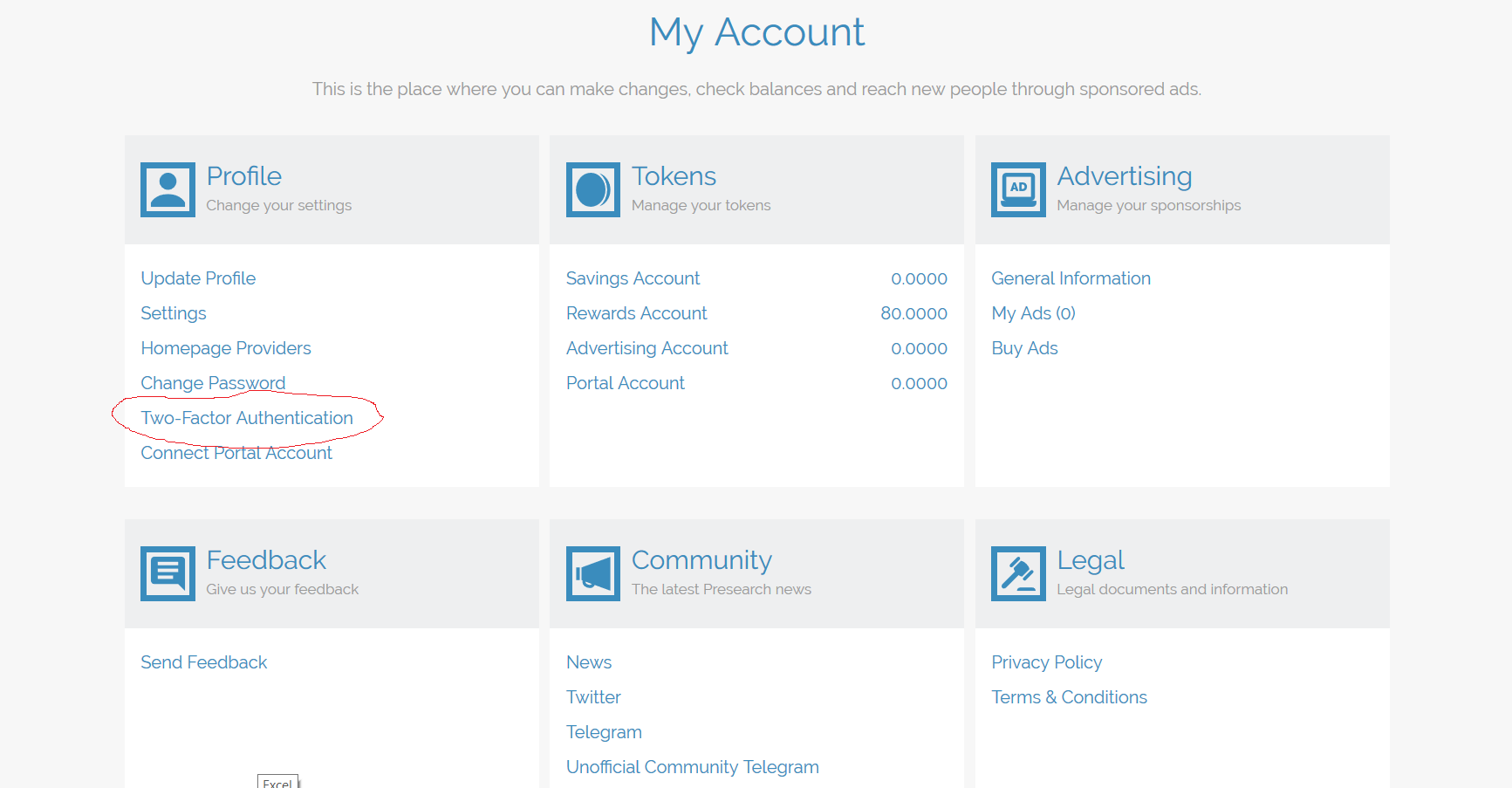
step 6.png

Step no. 7
Search every day on their engine to receive your eight tokens!
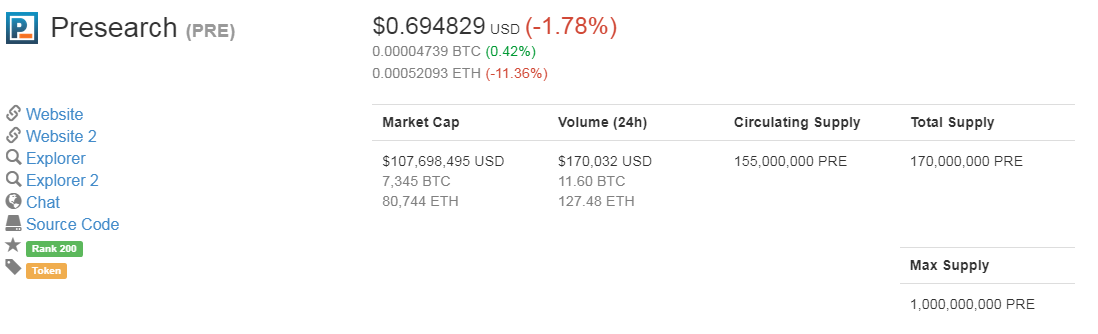
pres.png

Decentralized Search


  • Open and transparent ranking factors enable content creators to access a level playing field, and users the choice of which data sources to utilize

  • Community-driven decision-making process ensures that everyone’s interests are aligned, and the best content is surfaced and displayed

  • Ability to vote on and fund dev projects provides ability to influence and improve the platform, and earn tokens for contributing

Token Ecosystem


  • Tokens can be purchased during the Presearch Token crowdsale

  • Tokens will be issued to early adopters to reward usage and promotion of the platform

  • Token-holders will be able to vote on decisions, suggest / fund dev projects

  • Devs will receive tokens for contributing to features / projects

  • Advertisers will be able to purchase targeted, non-intrusive, keyword sponsorships with PREs


When a newly-installed program goes haywire and starts wreaking havoc on your system, it can be frustrating trying to get your computer back under your control. Luckily, there's a solution available for both Windows and Mac users that keeps your files intact while rolling back any negative system changes. Follow this guide to learn how to restore your Mac or PC.

source : - http://www.wikihow.com


Youtube is home to nearly every piece of music in the world, most of it uploaded by fans across the world with simple pictures as accompaniment. Putting together the video is easy and only only requires that you have pictures, the music file, and a simple video editing software.

Making a Basic Music Video from Scratch


1) Pick a song for which you want to make a video. You need to have a copy of the song already on your computer in order to make your video. If you do not have the music file, you can buy it or download it online.


2) Determine what kinds of pictures you want to include. Common pictures include album artwork, shots of the band playing music, hanging out, and at live shows, and images that relate to the words currently being sung.

  • You can even choose to put lyrics up as they're sung in certain moments. There is no wrong series of pictures to put up, but you should think about what the song says to you and how you want to portray it.

  • The most popular videos have photos that fit seamlessly with the music being played. Think of a theme or story in advance that you want to tell.

  • You can use pictures from your own life or those found online. Know, however, that it is illegal to profit off of someone else's work, so you cannot charge people for the music video unless the pictures and song are all your own.


3) Download all of the photos into a dedicated folder. Make a folder labeled "Music Video" on your desktop. As you find photos, pull them into this folder. If everything is in the same place to begin with, your life will be much easier in the future. Good places to find photos include:

  • Stock photography sites.
  • Your own collections.
  • Online image searches.
  • The musician's bio or photo page.


4) Open a video editing program and import your song. You can use almost any video editing software you want, from Windows MovieMaker and iMovie, to Avid and Final Cut, as these videos are simple and can be handled by most software. 

  • You can even use the most recent version of Powerpoint on Open Office, which can save presentations as movies. Click and drag your song into the timeline to determine the length of your video.


5) Click and drag all of your photos onto the timeline next to the song. This process is slightly different for each program, but you should end up with each photo end to end on your editing timeline. The first shot should be lined up with the start of the song.

  • Usually you can click and drag the files right from your folder into the editing program. If this doesn't work, try "File" → "Import," then find the photos. Click and drag them after importing into the video work station.


6) Divide the number of seconds in the song by the number of photos you have to determine how long each shot should be. To determine the number of seconds, simply multiply 60 by the number of minutes in the song, then add the leftover seconds.

 Therefore, a 2:40 long song would be 160 seconds long (60x2=120, + 45 =160). Divide this number by your photos to determine the total length of each shot. For example, if you had 80 photos for a 160 second song, you'd need each photo to last for two seconds to fit the whole video.


  • If you want some photos to go longer than others, you can simply use this as a guideline. Simply start with the appropriate number of seconds per photo, then adjust individual photos by hand.


7) Highlight all of your photos and set the length to fit your video. Click on all the photos by either dragging and highlighting, or Shift+Click. Right click on them and choose, "Set Length of Clips." Choose right amount of time for your video, depending on what you tested earlier.

  • It may not be labeled as "Set Length of Clips," but it will be similar. Some other possibilities are: "Duration," "Clip Length," or "Clip Timing."

  • Some programs, like iMovie, let you change the duration of all stills, by default, in "Preferences." Simply set "Duration of Stills" to your desired length.


8) Save your final video as an MP4 or MOV file. Once you've finished your video, click on Save As or Export and choose and MP4 or MOV (Quicktime) file. These are the easiest to get onto YouTube, and they will not take up a lot of space on your computer.


  • Exporting is when you take the video project and convert it into a full movie. If you don't get an option for MP4 under "Save As," you'll likely need to export.


9) Upload the video on Youtube. You'll need to make an account. From their you can click on "Upload" to put your video up on the internet for all to see. Choose a good thumbnail of the song or band to help viewers find you, and be sure to name the song and artist in the title.


  • Youtube has strict copyright laws, and if you are not the rights owner of a song, there is a chance that your video will be taken down. You do, however, have a few strikes before losing Youtube privileges.

Warnings!

Don't use any Copyrighted music, or your video will get taken off YouTube.


Web site : - www.eyewer.com

The next-generation of Social Networking!

Curate Beautiful Life Blogs about your favorite moments The beauty of a moment depends on the way it is cherished and expressed. Use Eyewer to bring your memory to life.


Smart. Intelligent. Powerful.


Use Vita, our own Artificially Intelligent Assistant to help you find content that truly interests you, find the right people and manage your social life when you are unreachable and engaged in your day to day life.


Reach the Right Crowd


Eyewer filters your Airtimes and finds the right crowd to enjoy them. What's the point of sharing your favorite moments with people who aren't interested in knowing about it?


Beautiful way to stay in touch

Use Eyewer to connect and communicate with your friends and family and newly formed friends with ease. Our Video and Voice Calling facilities are so easy you'll be using them everyday!


Incredible Social Search


Finding things you love in life can be hard sometimes. However, finding things that bring value and color to your life is as easy as a simple natural language search.
Simply search 'people who love movies' and 10 seconds later you'll be having a friendly chat with new interesting people!


Pushbullet bridges the gap between your phone, tablet, and computer, enabling them to work better together. From seeing your phone's notifications on your computer, to easily transferring links, files, and more between devices, Pushbullet saves you time by making what used to be difficult or impossible, easy.


Check if you have an account that has been compromised in a data breach


Have I been pwned? as a free resource for anyone to quickly assess if they may have been put at risk due to an online account of theirs having been compromised or "pwned" in a data breach. I wanted to keep it dead simple to use and entirely free so that it could be of maximum benefit to the community.


About ManualsLib


Looking for a manual online? ManualsLib is here to help you save time spent on searching.

Our database consists of more than 1695629 pdf files and becomes bigger every day! Just enter the keywords in the search field and find what you are looking for! Search results include manual name, description, size and number of pages. You can either read manual online or download it to your computer. Moreover, documents can be shared on social networks.

What We Do

Manualslib - the largest online project dedicated to manuals and user guides.
Since the creation of the site, we tried to make it bigger and better. During this time we managed to collect an impressive base of pdf-documents.

Our Features:

All manuals are available for view and download absolutely for FREE.

With our intelligent search you can find the right manual even if you typed its number incorrectly.

We divide every manual into single pages so you can find & share the pages that contain the actual information you need. For example, you can share the page in a manual that describes how to configure the channels on your TV by sending the link to your friend. He will not need to look through the entire manual to find the relevant page.

You can bookmark files and keep them in your account. In case they are needed later, they will always be at hand.


F.A.Q.

I want to find a manual for my product. How can I do this?

There are 2 ways to find your manual:
1. The best way is if you know the part numberand/or manufacturer of your product.
2. If you are not sure of your part number, you can use our catalogue.

How can I download manuals?

Press the "download manual" button below the product name on product page. Then press the "get manual" button, and your download should begin.

I've got a question about my product, can someone help?

You can ask your question using comments.
You will likely receive an answer from one or more of our many site users.


Do you want to know who your soulmate is on Facebook? A new site called Captain Quizz analyzes your Facebook friends list and can find out who you’re destined to be with forever based on information from your friends’ profiles and your own.

To take the quiz, you will need to give the app access to your Facebook account. When you get to that screen, you can simply click on the blue button that says, “Find out who your true soulmate is,” and you will instantly get results.

“Captain Quizz analyzes your friend list, posts, and likes to find out who your real soulmate is,” the website explains. So in theory, your soulmate should be the person with whom you have the most in common when it comes to Likes, comments, and other factors on Facebook.

There’s just one problem: According to Captain Quizz, my true soulmate isn’t my husband. It’s my mother-in-law.


Captain Quizz shared this messages along with the results, “You share a lot with this person and he/she definitely has a very high opinion of you and you two get along very well.” While all of this is certainly true — my mother-in-law is pretty awesome, and we do get along well — Captain Quizz’s results are obviously a little skewed.

You can refresh the quiz to see if you get different results, but every time we retook the quiz or asked others to take it, surprising results popped up, including distant acquaintances and even close relatives. Clearly, there’s more to a soulmate than similar Likes and Facebook posts.

Even though Captain Quizz may not exactly pair you up with your “true soulmate,” it’s fun to take the quiz regardless. Captain Quizz also has a number of other fun quizzes, much like BuzzFeed, including, “Which Video Games Character Would You Be?”, “Which South Park Character Are You?”, and “Which Character From the Beauty And the Beast Are You?”

By Karen Tumbokon


Put articles, videos or pretty much anything into Pocket.Save directly from your browser or from apps like Twitter, Flipboard, Pulse and Zite.If it's in Pocket, it's on your phone, tablet or computer. You don't even need an Internet connection.

First Sign up here


View images below & follow arrows


click plus button then enter your web site url


add pocket button to your browser.example for opera browser


 install it


As below image you will see a pocket button will appear next to the search bar.


Turn your windows 7 & 8 laptop into wifi hotspot and make a virtual wifi router


mHotspot is a completely free software which converts your windows 7 & 8 laptop into a virtual wifi router and creates a secure wifi hotspot.

You can share single internet connection(LAN, Ethernet, Data-Card, 3G/4G, Wif) for multiple devices like laptops, smartphones, android phones, PDAs, Ipads etc.

Play Multiplayer gaming using mHotspot

No router or external hardware is required apart from your existing one.

Go to site www.mhotspot.com

Uses of mHotspot:


1. Internet Sharing:

Firstly,the main use of mHotspot is to share a single internet connection for multiple devices.For instance, you are using ethernet or 3g data card for your laptop. If you want to use the same internet connection for your Wifi enabled mobile phone, download mhotspot and start the wifi hotspot.By searching for the newly ceated Wifi network, the device can connect to wifi and enjoy the internet of laptop.The devices might include laptops,iphones,android phones, other smartphones, tablet-pcs, PDAs, Wii, XboX or any other wifi device.Fully customizable Hotspot Name


  • 2. Etxend your wifi range :

    A laptop with mHotspot can act as a repeater.i.e., a laptop can increase the range of a wifi network by generating an additional wifi network as shown in the figure below.


    3. Multiplayer Gaming:


Yes, you can play multiplayer game without the hassle of LAN cables or Ethernet-HUBS.
HOW?
1. Download mHotspot on any laptop and setup the hotspot with 'No Internet Sharing'.
2. Give the password to your friends, team so that they connect to the hotspot
3. Voila! You successfully created your own wireless network without LAN Cables or Wifi Router!!

Screenshots :


Features :

Connect upto 10 devices to the hotspot
You can set your own hotspot name without any restrictions
Application size is 400KB only
Share any type of Internet Connection(LAN, Ethernet,3G/4G,Wifi etc)
Android phones, ipads, PDAs, tablet-pcs and other devices can access
See the details of the connected device(Name, Ip Address, Mac Address)
See the network usage(Upload and Download Speed, Transfer Rates)
Secures your wireless hotspot with WPA2 PSK password security
Set max. number of devices that can be connected
Extends your Wifi range(Acts as a repeater)
In-app internet selection
Works with Windows 7,8 

How to use mHotspot

1. Enter any name of your choice as hotspot name.

2. Choose a password of minumum 8 chars. 

3. Select your active internet connection from the drop-down list of connections. 

4. Set the maximum number of clients that can be connected to the hotspot. 

5. Click start hotspot to start your own personal wifi hotspot.


Watch the Video Tutorial :


Chat in your browser
Orbitum – a fast, easy and safe browser that lets you chat on popular social networks, including Facebook.


Have you ever had trouble sending a particular file attachment through e-mail, and wondered why? The file is probably too large. Most mail servers restrict attachment sizes to a maximum of 10MB, and sometimes even less than that.If you're trying to send someone a video file, a large batch of photos, or anything else that exceeds the limit, the e-mail won't go through.


Fortunately, lots of free services let you work around these restrictions.

Here you’ll find how to articles and useful tips on how to build and manage your next campaign on Addroid. For new users, we recommend reading through the documentation before building your first ad.

Stunning Photo Websites.For You, Your Family, Or Your Business.We want you to feel right at home and make your galleries truly yours, so we’ve put together this quick walk-through to help you get started.

Teaching the world how to code.Program website and more,learn with friends,track your progress.learn how to code.Its interactive and fun....

Learn To Code
Make a Website
Make an Interactive Website
Make a Rails Application
HTML & CSS
Javascript
jQuery
PythonRuby
PHP


Qualys BrowserCheck will perform a security analysis of your browsers and plugins, and will run several system checks including the Top4 Security Controls.Scan and view all security issues in an easy-to-understand detailed list.Follow recommended steps to resolve each vulnerability found.

password,secure,strong,social network account,

A free online secure password creator! If you need to protect your private things from thieves you should have a strong password!

We have the tools. You have the smarts. Build your infographic using our simple graphic tools.With a multitude of tools right at your finger tips, you'll be designing like a pro in no time. Makes you wonder how you ever lived without it, right?

Play FREE online games! A great place to play free online games, including puzzle games, word games, card games, and board games. Unlike other free online games sites, They offer a variety of classic Hasbro board games like RISK, YAHTZEE, SCRABBLE, and MONOPOLY. They also have popular games like Chess, Spider Solitaire, Cribbage, and Bejeweled. Make friends, play free online games!

Like any other map, The Internet map is a scheme displaying objects’ relative position; but unlike real maps (e.g. the map of the Earth) or virtual maps (e.g. the map of Mordor), the objects shown on it are not aligned on a surface. Mathematically speaking, The Internet map is a bi-dimensional presentation of links between websites on the Internet.

Categories

Advertisement

PaidVerts
Powered by Blogger.

Random posts

Mobile view

Mobile view
Connect us with mobile device!

Translate

Facbook

Popular Posts

Advertisement

My Traffic Value